
Legionbet App for UK Players
Alternative UK Mobile Casinos
Picking a mobile casino in the UK takes a bit of research. At Legionbet, we think it comes down to four things: game variety, welcome offers, how well the site works on a phone, and what payment options are on the table. Not every platform gets all four right. Below we have pulled together a list of alternatives worth looking at alongside our casino.









The list above covers the main contenders. Go through the terms carefully, check what the bonus conditions actually say, and choose based on what matters to you as a player.
About the Legionbet App
The Legionbet app is for players who want the full thing on their phone, not a stripped-down version. It works on both Android and iOS, loads quickly, and gives you access to the complete game catalogue from day one. Whether you are on a lunch break or at home in England, our app fits into your day without any fuss.
| Parameter | Details |
| Platform | Android and iOS |
| Game catalogue | Slots, live tables, sports betting |
| Payment methods | Cards, e-wallets, bank transfer |
| Currency | GBP £ |
| Minimum deposit | £20 |
| Customer support | Live chat, email |
| Responsible gambling | Available |
Deposits, withdrawals, live tables, account settings – it is all there. Our Legionbet app does not ask you to open a browser for anything. The layout works well on smaller screens and you will find what you need without digging around.
Bonuses for Mobile Players
At Legionbet, mobile players get the same rewards as everyone else, and then some. Install our app and you will get a push notification with a code for 30 free spins straight away. After that, our welcome package runs across your first three deposits, and you pick the type of reward that suits you best – cash bonus, free spins, or both.
| Bonus | Details |
| App Install Bonus | 30 Free Spins on Aloha King Elvis |
| 3rd Deposit – Cash | 75% up to £10,000 |
| 3rd Deposit – VIP | 75% up to £25,000, min deposit £500 |
| Monday Reload | 40% up to £300 |
| Friday Reload | Up to 180 FS |
| Saturday FS | Up to 100 FS every Saturday |
| Monthly Reload | 100% up to £500 |
The app install bonus carries a 35x wagering requirement. Deposit bonuses come with 40x. Any unclaimed bonus drops off after 3 days, and once you activate one, you have 7 days to use it. Standard bonus terms apply across the board.
App vs Web Browser Play
You can reach Legionbet from a browser, but it is not the same as using our app. The app is built around touch screens and mobile navigation. The browser version is a fallback, not a replacement. If you play more than once or twice a week on your phone, the gap between the two becomes pretty obvious.
| Feature | App | Web Browser |
| Installation required | Yes | No |
| Push notifications | Yes | No |
| Load speed | Faster | Slower |
| Offline access | Partial | No |
| Touch optimisation | Full | Limited |
| Home screen access | Yes | Requires bookmark |
| Exclusive bonuses | Yes | No |
The browser handles the basics. But for players in England who are on their phones regularly, our Legionbet app is the better call. The speed, the bonuses, and the layout all point in the same direction.
Download the Legionbet APK for Android Devices
You will not find our app on the Google Play Store, so Android users need to grab the Legionbet APK from our official site instead. It is a quick process – under two minutes start to finish. Follow the steps below and you will be set up before you know it.
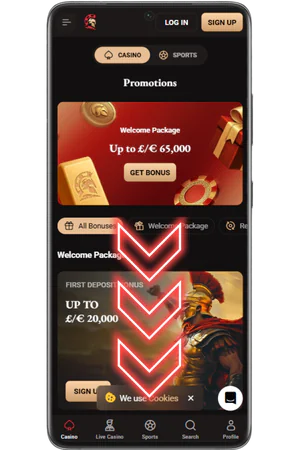
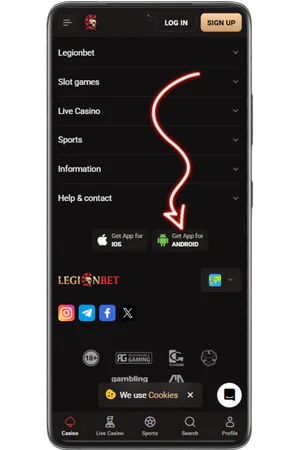
- Visit the Official Site and Scroll Down
Open our official site in your Android browser. Scroll to the bottom of the page — the download section is there.
- Find and Tap the Download Button
Tap the download button to pull the Legionbet APK file onto your device. It starts straight away.
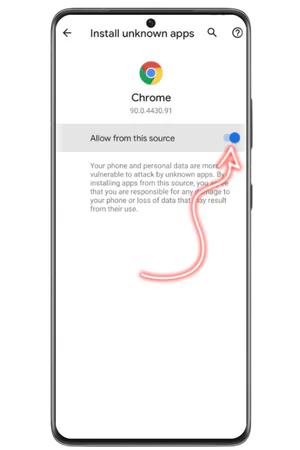
- Allow Installation from Unknown Sources
Android will ask you about installing from unknown sources. Head into your settings, flip the switch, and come back to continue.
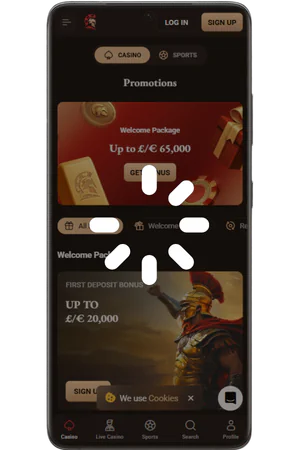
- Wait for Installation to Complete
The install runs on its own once you give it the green light. It only takes a few seconds.
- Open the App and Start Playing
Open the app, log in or create an account through our official site, and you are ready to play.
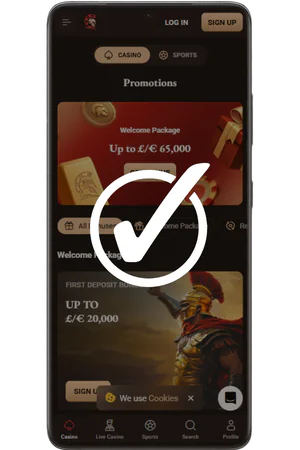
Once it is on your phone, the Legionbet app runs without issues on most Android devices. Players in England can get straight into their account, grab their bonuses, and start playing with no extra steps.
Installing the Legionbet App on iPhone
iOS users do not need to download a separate file. Our app is accessible directly through the Safari browser on your iPhone, and adding it to your home screen takes less than a minute. Here is how to do it:
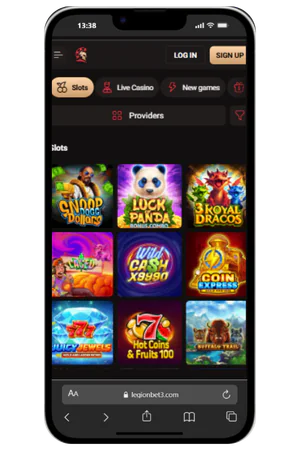
- Open Safari and Visit the Official Site
Go to our official site in Safari. It has to be Safari – other browsers on iPhone do not have the option you need in the next step.
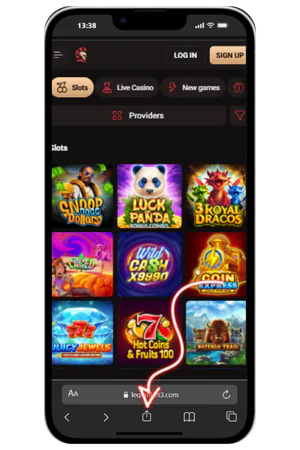
- Tap the Share Button
The Share button sits at the bottom of the Safari screen. It looks like a box with an arrow coming out of the top.
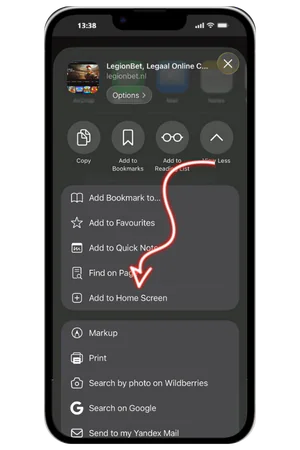
- Select “Add to Home Screen”
Scroll through the Share menu until you see “Add to Home Screen” and tap it. This is what creates the shortcut on your phone.
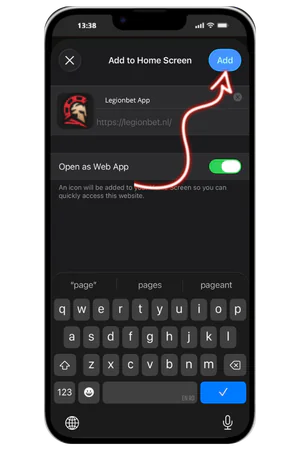
- Confirm the Name and Tap “Add”
A screen will come up with the name pre-filled. Leave it and tap “Add” in the top right corner.
- Find the Icon on Your Home Screen
The Legionbet app icon shows up on your home screen. Tap it and it opens straight to the casino – no Safari needed after that.
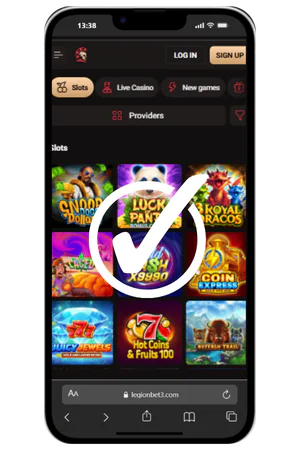
Once added, the experience mirrors a native app. You get quick access from your home screen, a full-screen interface, and smooth performance across all current iPhone models. UK players in England can use all features including deposits, withdrawals, and live games without any restrictions.
System Requirements and Compatibility
Our Legionbet app does not need a high-end phone. It runs on standard hardware and most people will not need to change anything before downloading. Here is what to check if you want to be sure.
| Requirement | Android | iOS |
| OS Version | Android 6.0 or higher | iOS 13.0 or higher |
| Storage space | Min 100 MB free | Min 100 MB free |
| RAM | Min 2 GB | Min 2 GB |
| Internet connection | 3G, 4G, 5G or Wi-Fi | 3G, 4G, 5G or Wi-Fi |
| Browser required | Not needed | Safari recommended |
| Auto-updates | Via official site | Via Safari |
| Screen resolution | 720p or higher | 720p or higher |
Most devices running in England today comfortably meet these requirements. If your phone is from the last four to five years, you are unlikely to run into any compatibility issues. Keep your operating system updated for the best performance.